The MedProtect app:
a clear explanation of your lab results
For iPhone (iOS) and Android. Upload the lab report PDF — the app finds the markers on its own and prepares a plain-language breakdown of the whole picture.
It is being prepared for the App Store and Google Play. Direct download links and QR codes will appear on this page right after release — no fake buttons before that. Meanwhile, the demo above shows the real app flow, and the reference below is free to use.
One checkup = one credit; the exact pack price is shown in the app before purchase and depends on the region.
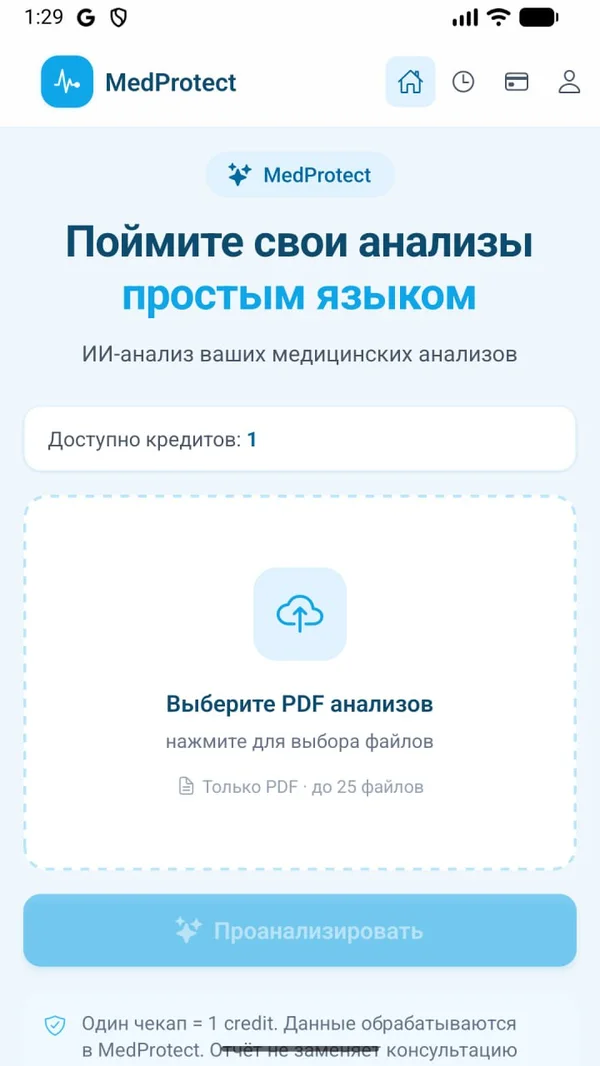
App screens
The actual interface of the current build: PDF upload, onboarding, the report and checkup history.
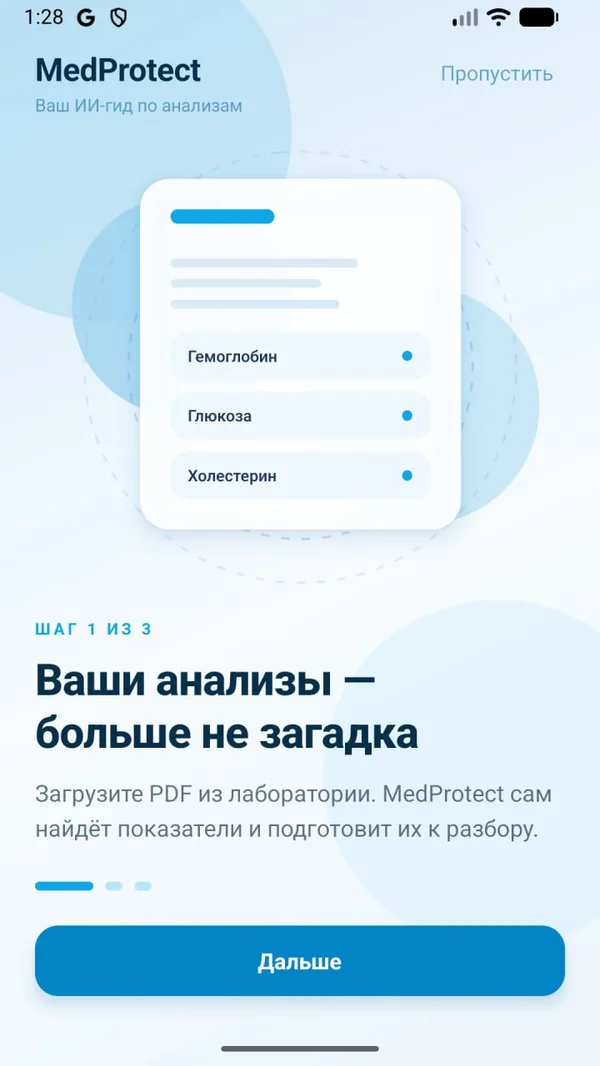
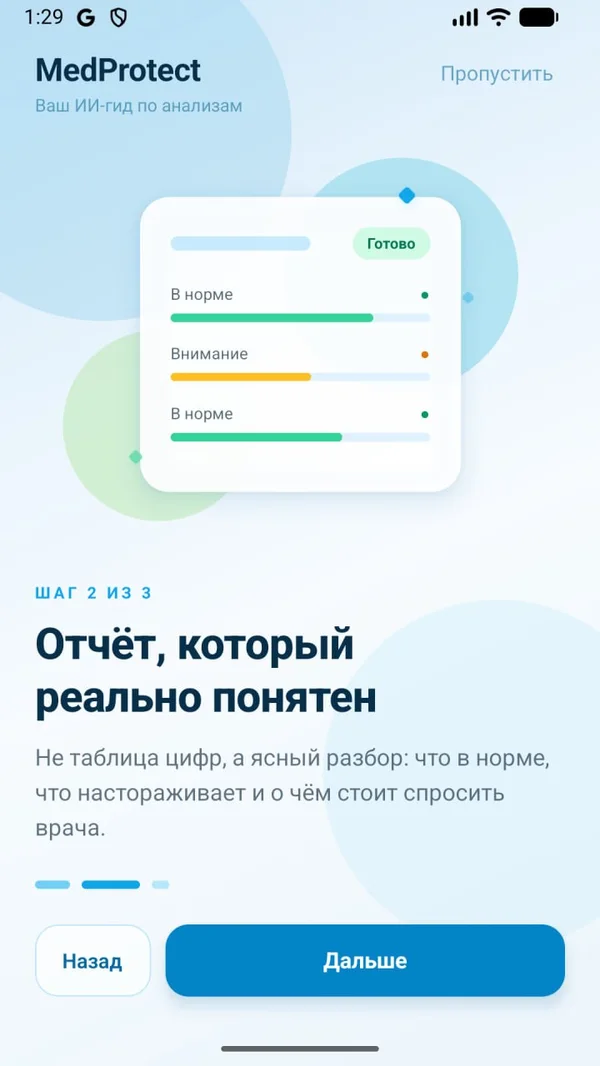
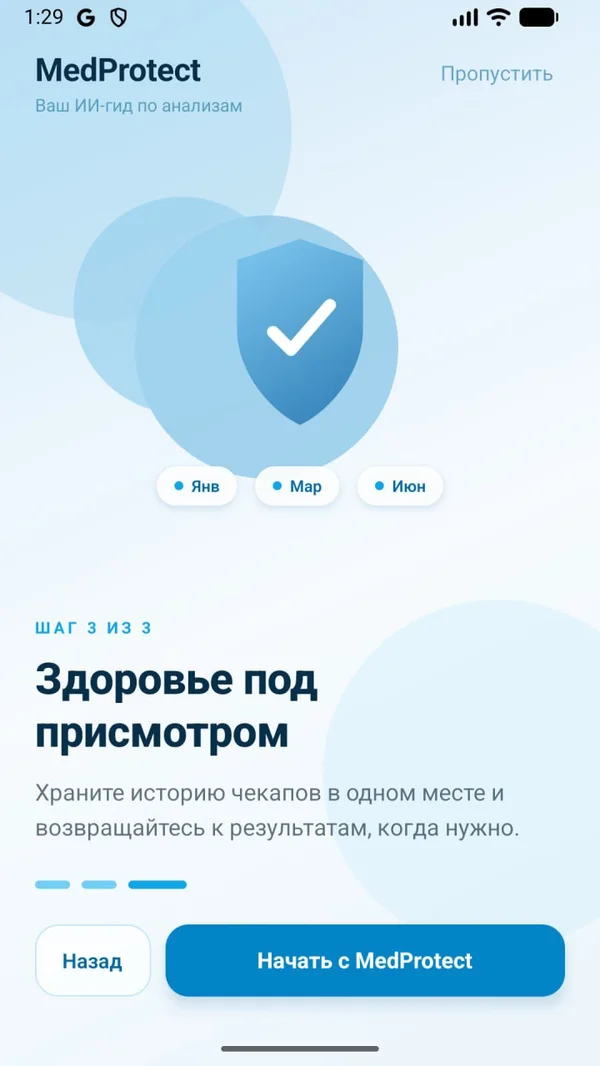
How a breakdown works
Steps that match the real interface — no promises the build does not keep.
- 01Upload the PDF
Choose the lab report PDF — up to 25 files at once. The first screen leads straight to the action, no mandatory training.
- 02Recognition
The app finds markers, values, units and references on its own and prepares them for the breakdown. An unsupported format is shown honestly — no guessing.
- 03The report
Not a table of numbers but a clear breakdown: what is within range, what needs attention and what to ask your doctor. The report is informational and does not replace a consultation.
- 04Checkup history
Results are kept in one place in the app — come back to them any time and compare by date.
- 05Credit balance
One checkup = one credit. The balance is visible on the main screen; credit packs are purchased in the app, with the price shown before payment.
Payment
The unit of payment is a finished breakdown of your report: one checkup = one credit. Credit packs are purchased in the app, and the exact price is visible before payment. The final local price is set by the store and depends on the region.
A purchase counts as completed after the store confirms it, not when the button is tapped. Cancellation and refunds follow App Store and Google Play rules.
If something goes wrong
On a technical failure — lost network, an unrecognized format, unfinished processing — no credit is spent, and the app shows the honest reason and the next step. A partially processed document is never called a complete breakdown.
If the report format is not supported, the app says so directly and suggests how to prepare the PDF again.
Your data
In short: the document is processed by the MedProtect service to prepare the breakdown; the report does not replace a doctor.
What happens to the file: the PDF is processed by the MedProtect service to find the markers and prepare the breakdown. Processing serves only this purpose — the document is not used for advertising and is not sold.
History: checkup results are kept in one place in the app — you control them yourself.
Marketing: lab values and document contents never go into advertising systems or analytics events.
Deletion: the checkup history can be deleted in the app; questions about data handling and deletion go to support.
Details are in the privacy policy. Support: hello@medaiprotect.com.
See how it works
A training example breakdown — no sign-up, no personal document.