A clear explanation of your lab results
MedProtect helps you understand laboratory test results. The analysis happens in the app — from the PDF of your lab report.
In the MedProtect app for iPhone and Android · the exact price is shown before payment
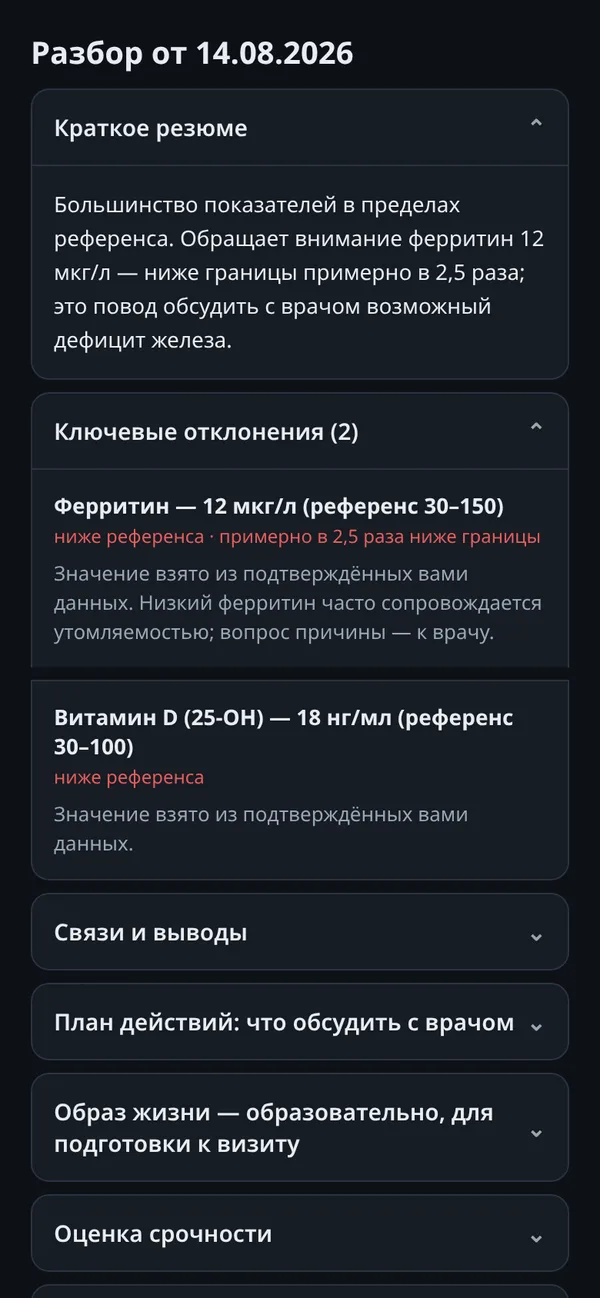
What the result looks like
Tap a row of the sample report — the explanation appears on the right, as in the app.
A training example: not a visitor's data and not a medical document. This is how the app explains each row of your actual report.
Hemoglobin is the oxygen-carrying protein in red blood cells. Here it is slightly below the sample reference: 118 with a lower limit of 120. A single value like this is not a diagnosis — preparation, hydration and recent illness all affect it.
Red blood cells are the cells that carry hemoglobin. Their count is within the reference range, so the lower hemoglobin here is not caused by cell loss — reading markers together is exactly what the app does.
MCV shows the average red blood cell size. A normal MCV together with lower hemoglobin narrows the possible causes: a clinician would usually check ferritin and iron rather than order tests blindly.
White blood cells are immune defense cells. The value sits mid-range: no signs of a marked inflammatory response in this sample.
Platelets are responsible for blood clotting. The value is within range — as is the case for most rows of a typical report.
ESR is a non-specific inflammation marker: it rises with dozens of conditions, from a cold to pregnancy. A small excess without other abnormalities usually means follow-up rather than alarm.
Sample summary
Slightly lower hemoglobin with normal red cell count and MCV; ESR slightly above the reference. This kind of result is a reason to discuss iron levels with a doctor and retest — not a diagnosis.
Questions the app suggests asking your doctor:- Should ferritin and iron be checked with hemoglobin at 118?
- When should the blood count be repeated, and at which lab?
- Could an ESR of 18 be a leftover from a recent cold?
Limits of the breakdown: the example cannot account for symptoms, medication or medical history — only your doctor knows those. The sample report's reference ranges may differ from your lab's.
How it works
Three steps that mirror the real app interface.
- 01Upload the PDF
Choose the PDF of your lab report — the app finds the markers and prepares them for the breakdown.
- 02AI prepares the breakdown
MedProtect reads the markers, values, units and references and builds a plain-language report.
- 03Open the report
What is within range, what needs attention, and which questions to ask your doctor. Your checkup history stays in the app.
What it costs
You pay for a finished breakdown of your report: one checkup = one credit. Credit packs are purchased inside the app; the exact price is shown before payment and depends on the region. A technical failure never spends a credit.
The example above and the whole reference are free, with no sign-up.
What happens to your data
In short: the document is processed by the MedProtect service to prepare your breakdown; the report is informational and does not replace a doctor. Your checkup history stays in the app — you control it.
The reference — open and free
For a single marker, the reference is handier: typical ranges, reasons for deviations and how to prepare, without medical jargon.
Most read references
Ferritin
A protein that stores iron. The ferritin level shows how much iron the body keeps in reserve — the earliest marker of iron deficiency, long before anemia develops.
Hemoglobin
The iron-rich protein in red blood cells that carries oxygen from the lungs to every tissue. The core marker checked whenever anemia is suspected.
Blood glucose
The main sugar in the blood and the body's key fuel. The fasting level is the standard screening number for prediabetes and diabetes.
Hemoglobin A1C (HbA1c)
The share of hemoglobin coated with glucose — an average picture of blood sugar over the past two to three months.